
Source is a project sidebar section, not a single page: it lists every repository linked to the project, and opening one gives you a read-only view of that repository’s activity without leaving Studio.
Link a repository to a project
Repositories are linked per project, but the GitHub connection itself lives at the organization level — see GitHub in Integrations. Once an organization admin has connected a GitHub account or organization, any project admin can link specific repositories to their project from Project → Integrations. Every linked repository then appears under Source in that project’s sidebar.
Overview
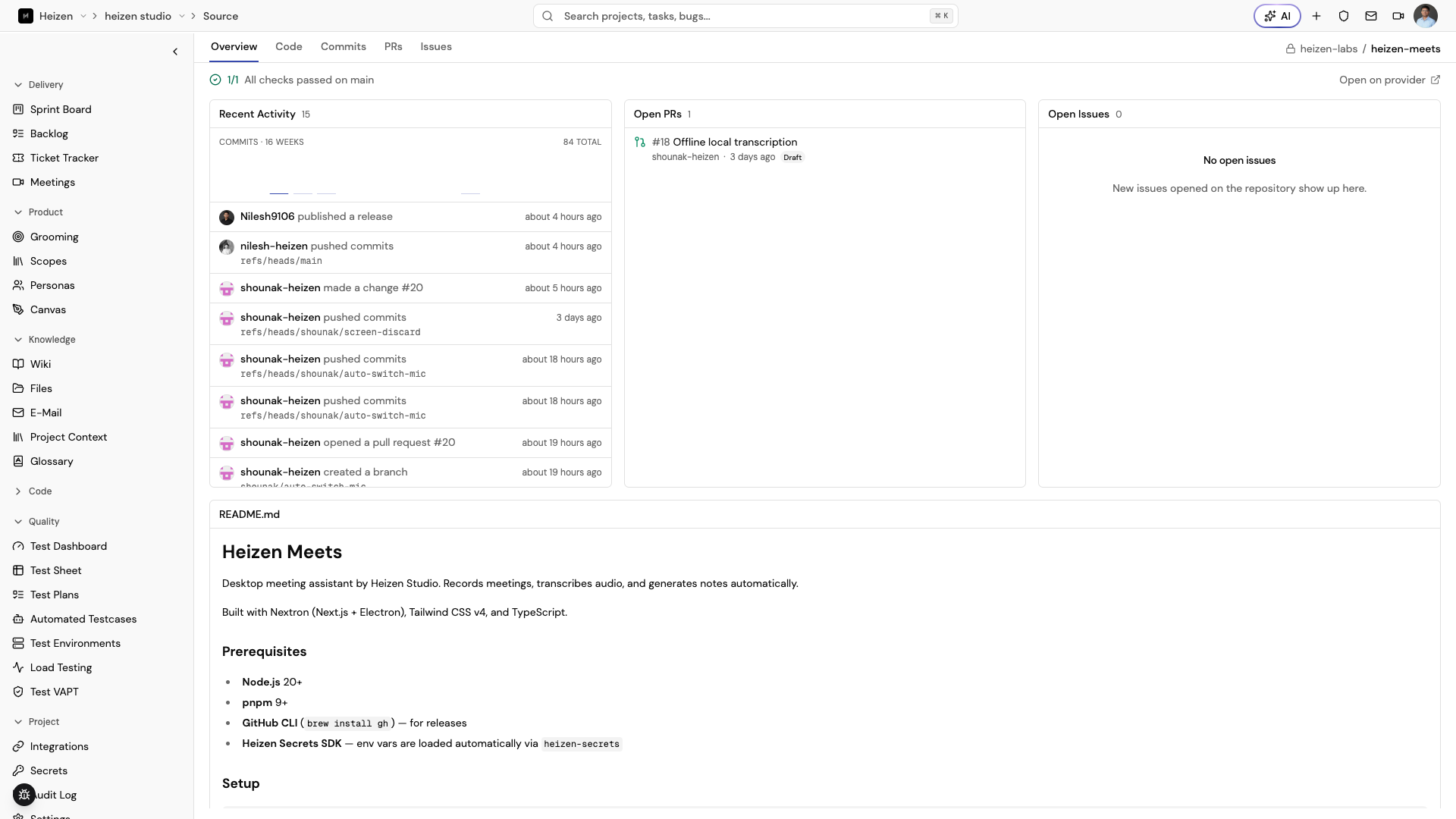
Opening a repository lands on Overview: recent commit activity across the
default branch, open pull requests, open issues, and the repository’s
README.
Code
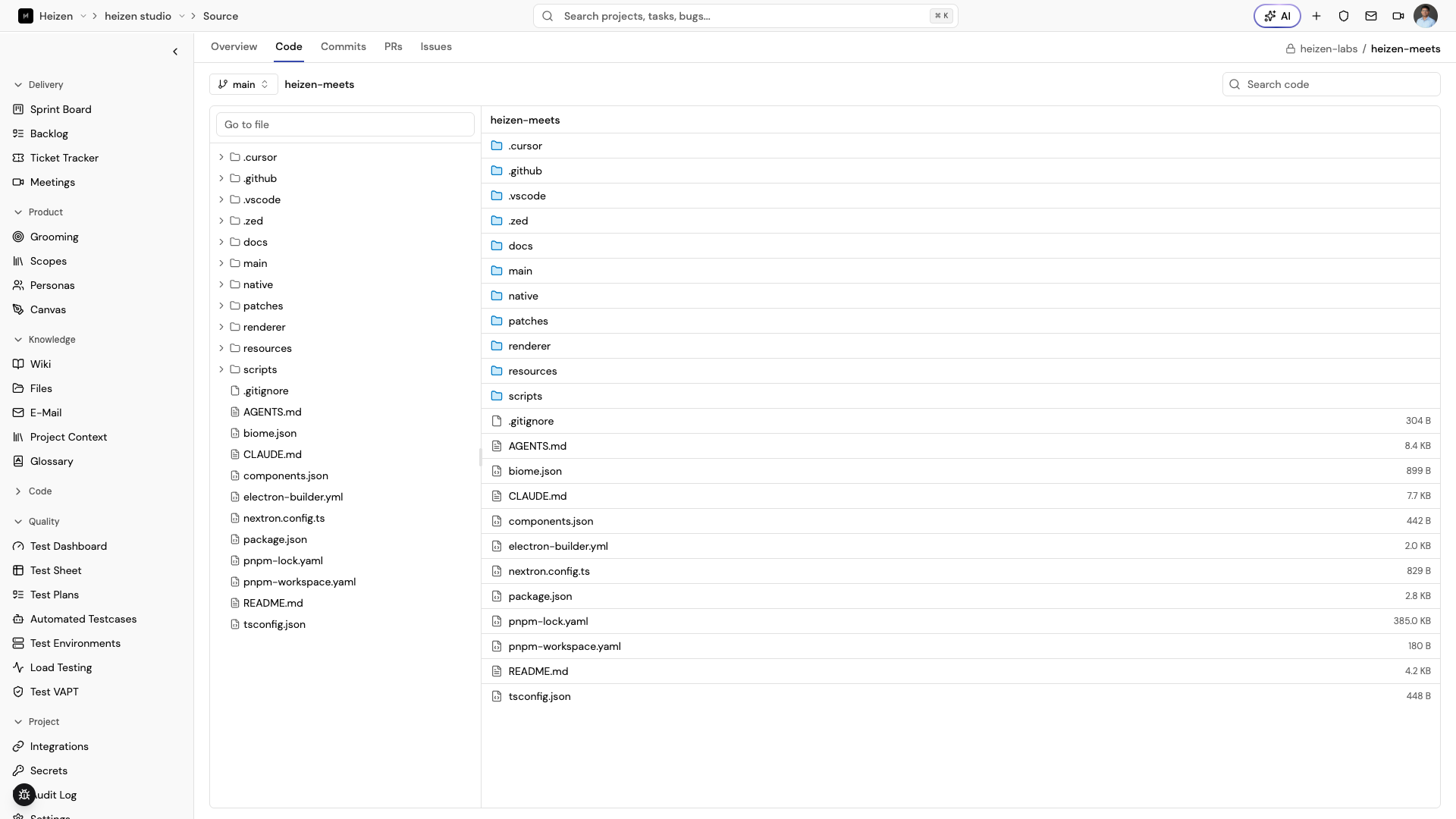
The Code tab browses the repository’s file tree and renders file contents at the default branch, the same way you’d browse it on the provider.
Use Search code to find text across the repository. Matching snippets keep their file language syntax highlighting so they are easier to scan.
Commits
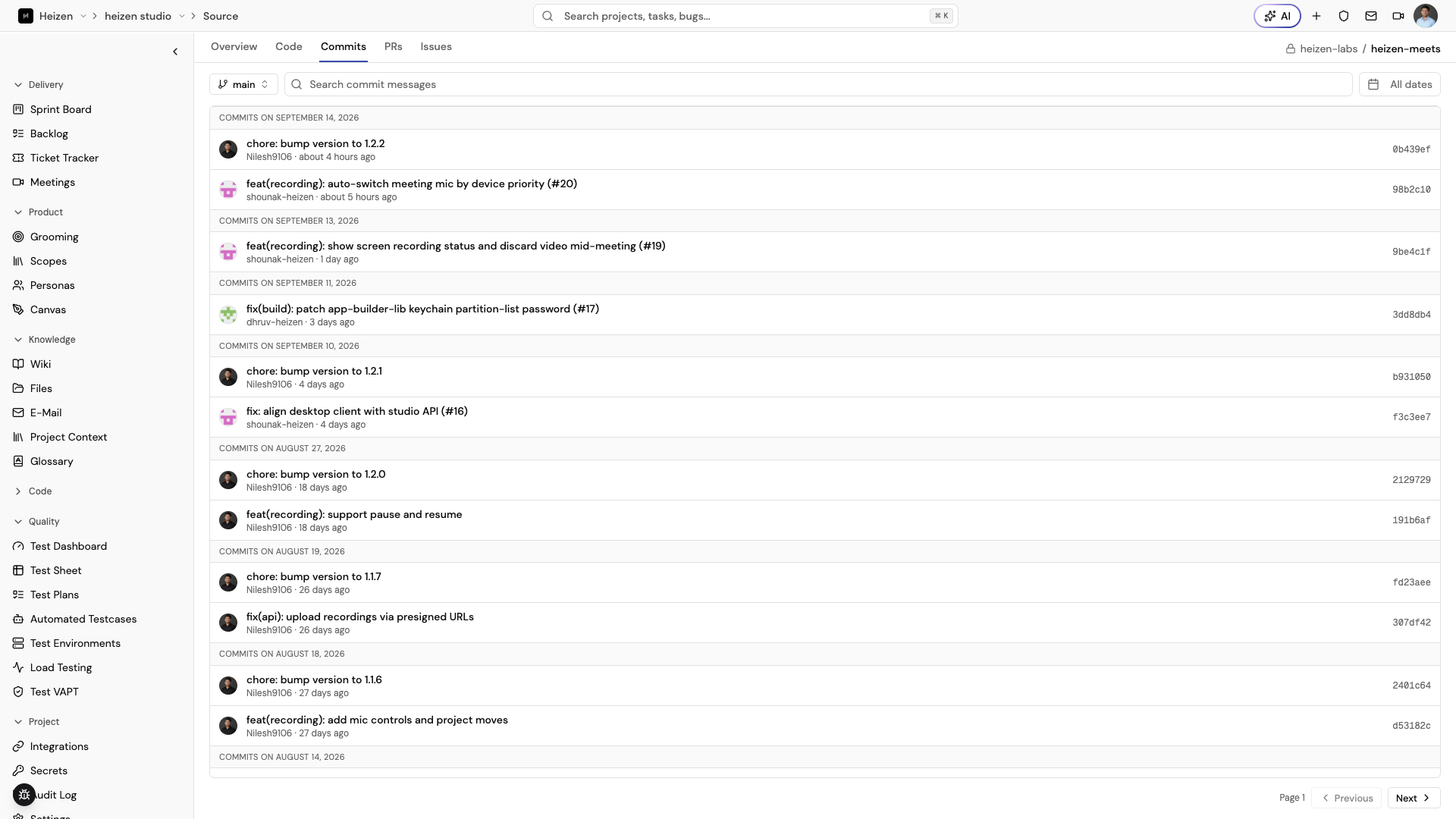
The Commits tab lists commits on the default branch with author, message, and timestamp, so you can see what shipped without opening the source provider.
Pull requests
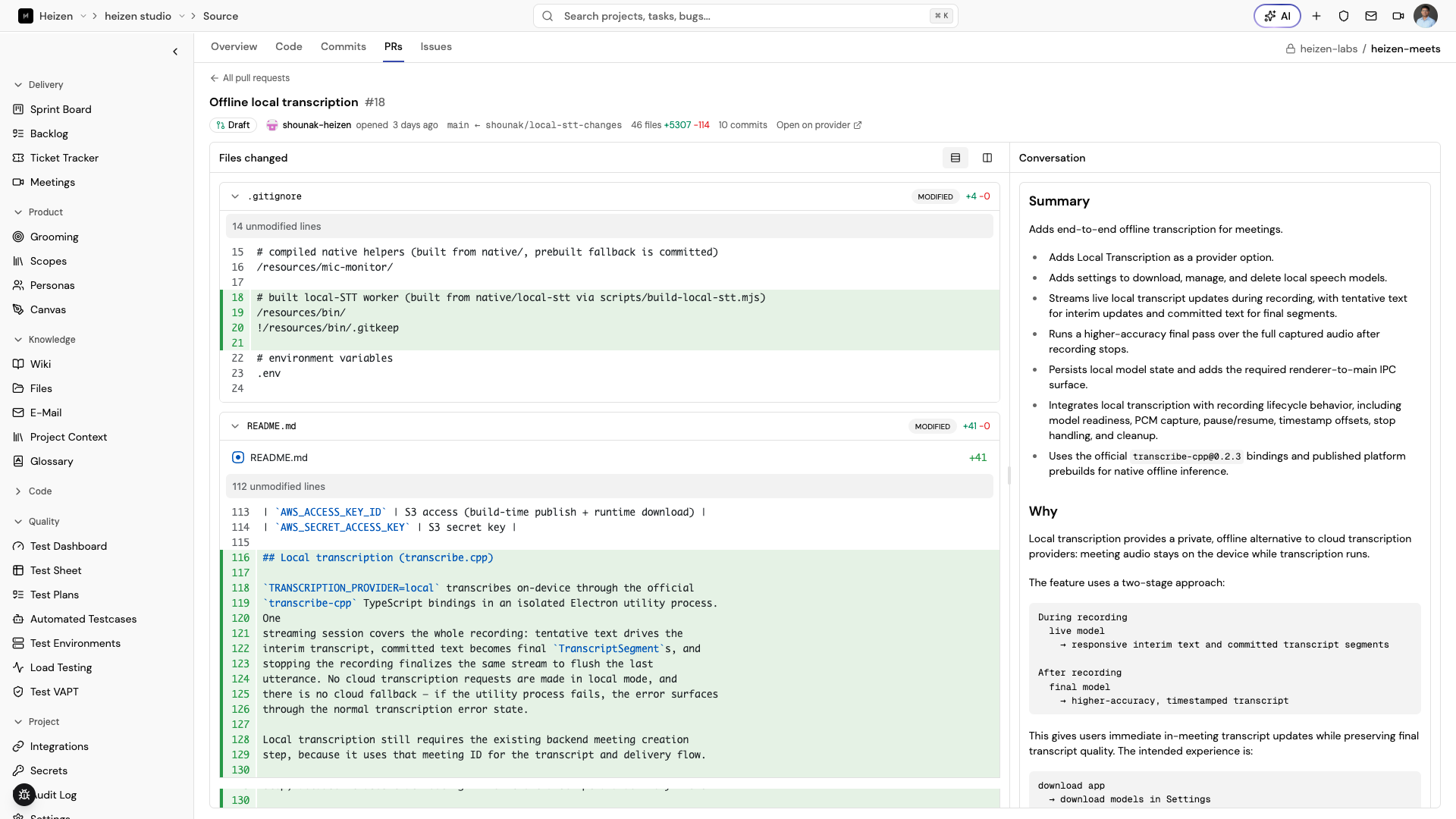
The PRs tab lists pull requests; open one to review its Files changed with full syntax-highlighted diffs, plus an AI-generated Summary of what changed and why in the conversation panel. The read-only Conversation panel shows the pull request description, review summaries, comments, and review threads. Replies stay nested under the original review comment, and each thread shows whether it is resolved or unresolved. Inline threads show their reviewed code changes, file and line range when available, reaction counts, and an outdated label when needed. If a review snippet is incomplete, Studio labels it and links to the comment on the provider. If a file diff cannot be rendered, Studio shows its patch text. Each changed file uses one collapsible header for its status, file name, and change counts. Hide the conversation panel to give the diff the full width, and bring it back from the same control in the Files changed header.
Issues
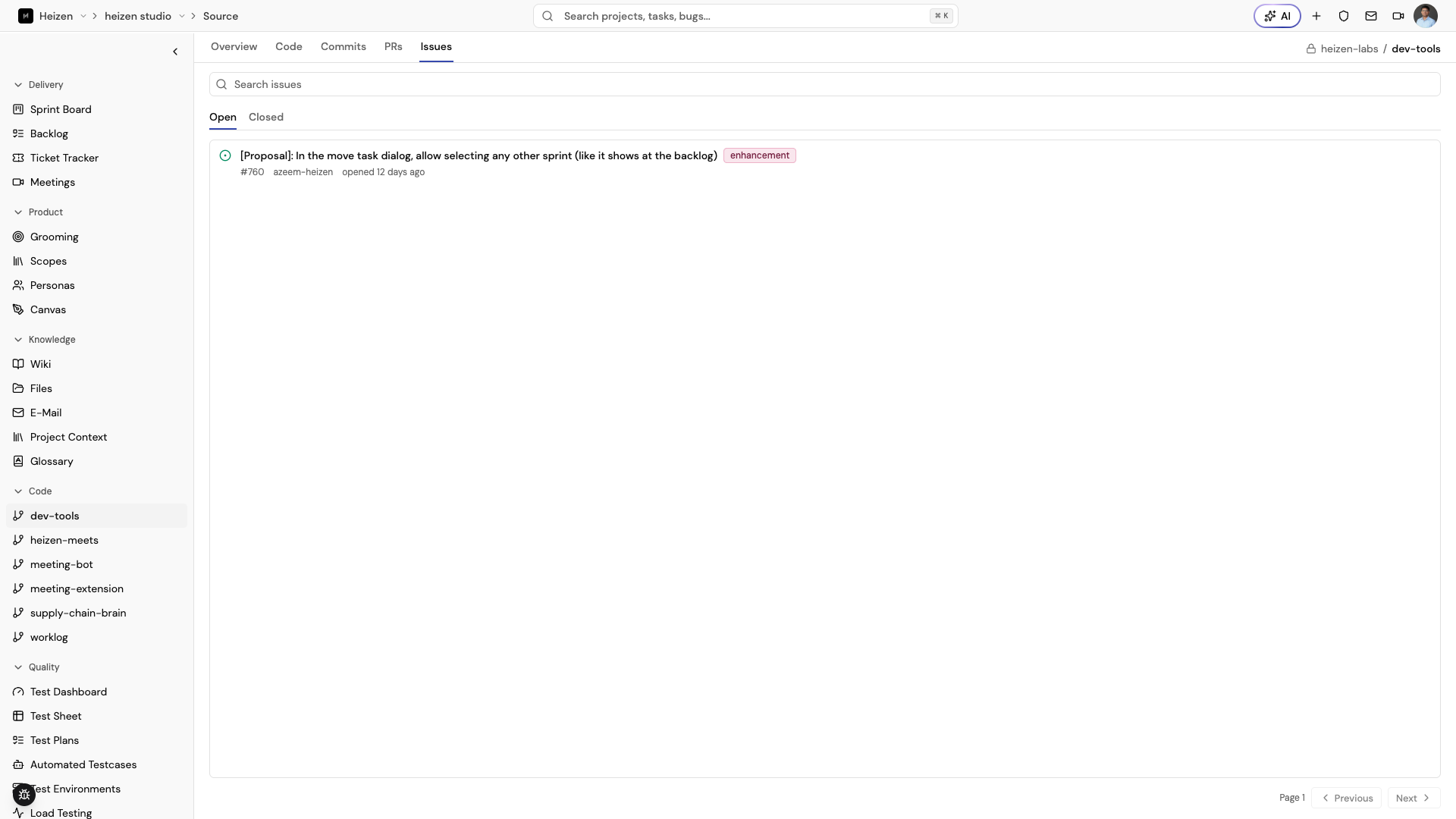
The Issues tab lists open and closed issues with their labels, author, and age, searchable by title.
Convert an issue to a ticket
Open an issue to see its conversation and a Ticket section in the sidebar.
- If the issue has no ticket yet, choose Convert to Ticket. Studio creates a ticket from the issue and the sidebar switches to a TICKET-{number} link.
- If the issue already has a ticket, the sidebar shows the TICKET-{number} link straight away. Choose it to open the ticket in the Ticket Tracker. An issue can only be converted once.
The button only appears if your role lets you create tickets in the project. If conversion fails, the sidebar shows an error and you can choose Convert to Ticket again to retry.
Ask Helix about this code
Helix reads the same linked repositories in Action and Plan
modes. Every request names one kind: repository, issue, pullRequest,
or file. Other filters must belong to that kind.
repositorylists the linked repository names. Search matches names only.issuelists issues by state (OPEN,CLOSED, or all) with title search, or reads one issue by id. The body needs the id plus the detail view, and bodies stop at 8,000 characters with a notice.pullRequestlists pull requests by state (OPEN,CLOSED,MERGED, or all) with title search, or reads one pull request by id. Title search scans the 1,000 most recently updated pull requests. The detail view adds the body, diff totals, and file evidence bounded to the first 20 files, with each patch cut at 2,000 characters and 16,000 characters of patch text per pull request.filedoes exactly one thing per request: read a file bypath, find files by name withpattern, or search contents withsearch. A pattern without a slash matches file names; a pattern with a slash matches paths relative to the repository root.gitRefselects a branch, tag, or commit for reads and finds. Content search always covers the default branch only, stops at 100 matches, and cuts snippets at 1,000 characters. A file read returns one 8,000-character chunk at a time: the first response holds the start of the file and names the next chunk to ask for. Binary files report their size instead of empty content. Filename search returns up to 1,000 matches and warns when the repository tree or match list was truncated, even with zero matches.
Helix checks repository read permission in the current project before it lists or opens anything. The project comes from the page you have open. When several repositories are linked, name one with its repository id. With no repository linked, Helix points to Organization → Settings to connect GitHub and then to project Integrations → Repositories → Link repository.
How it works
Source is read-only inside Studio — you review code, commits, PRs, and issues here, but you still push, merge, and comment on the provider itself. The one exception is converting an issue into a ticket, which creates the ticket in Studio and leaves the issue on the provider unchanged. Use it to give non-technical or cross-functional teammates repository context (what shipped, what’s open, what a diff actually changed) without requiring each teammate to have access to the source provider, and to let Helix reference real code and PR history when answering project questions.