
The QA leaderboard is a workspace-level view of QA activity. Open it from the Leaderboard tab beside Projects, Catalog, Members, and Settings at the top of the organization dashboard.
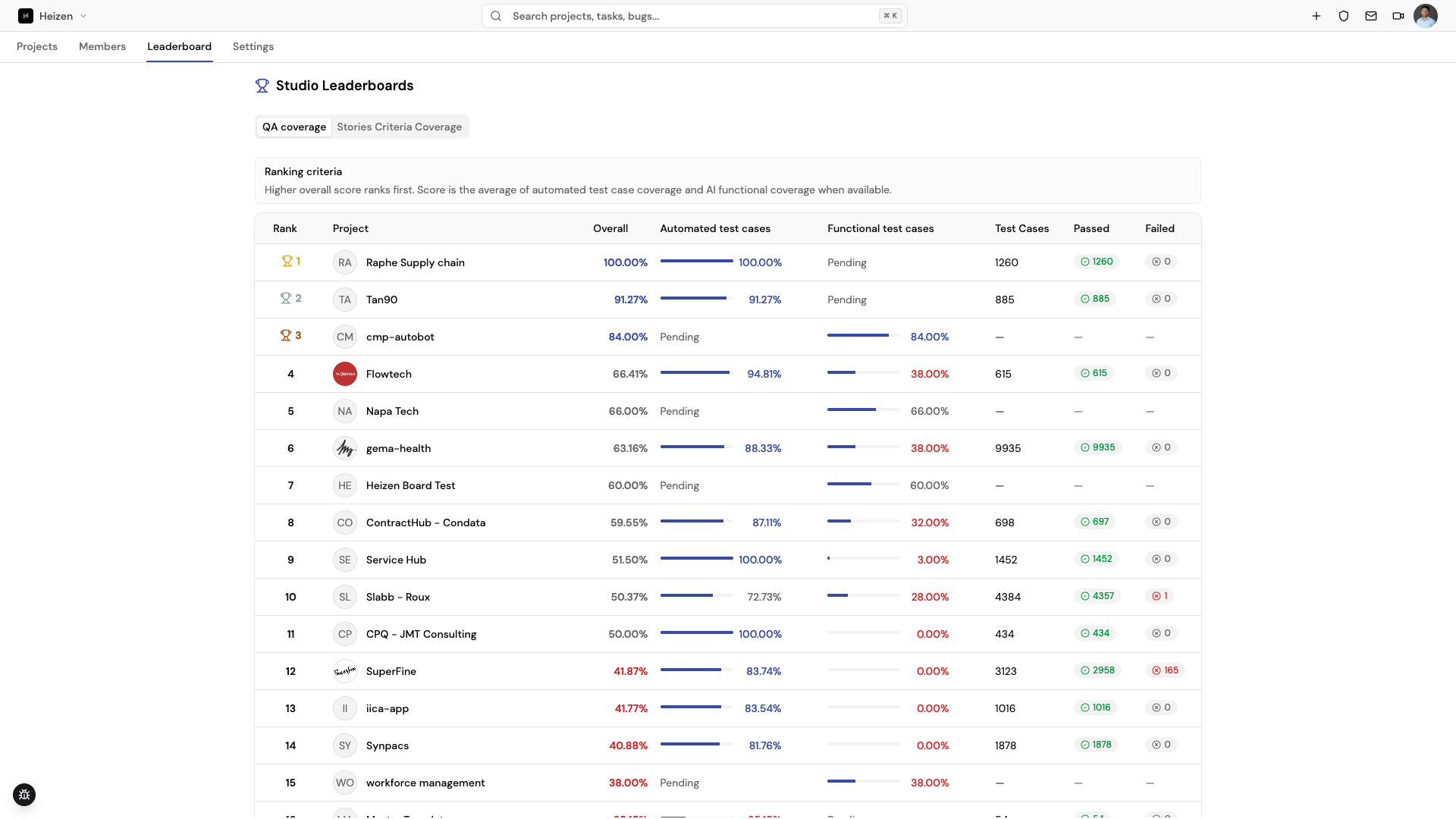
Read the leaderboard
There are two ranking tabs, each with its own criteria shown at the top of the table:
-
QA coverage ranks projects by overall score — the average of automated test case coverage and AI functional coverage when both are available — alongside each project’s automated and functional coverage percentages and pass/fail counts.
-
Stories Criteria Coverage ranks projects by the share of stories that have at least one acceptance criterion (stories with criteria ÷ total stories). Ties break by the number of stories with criteria, then total acceptance criteria.
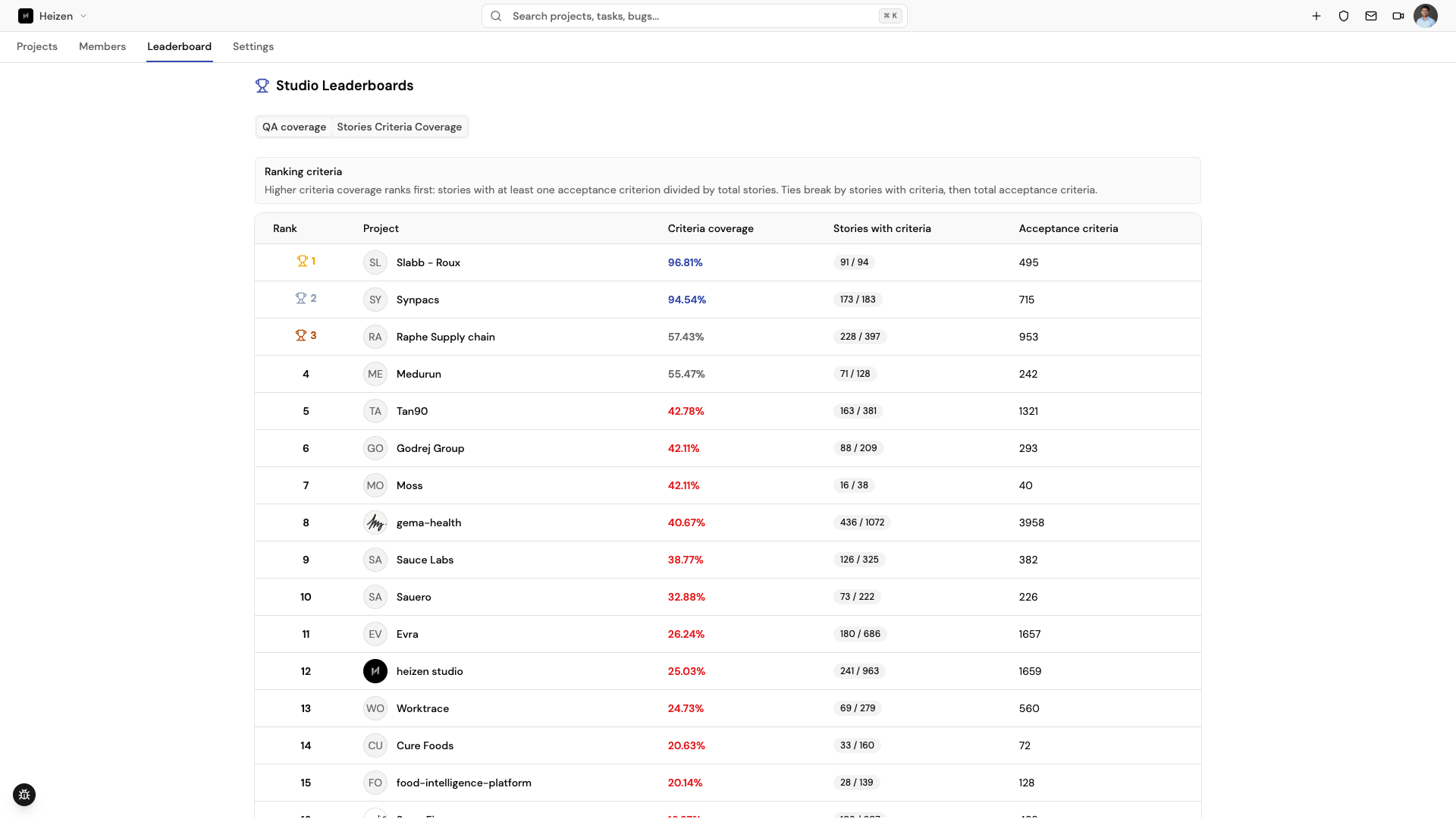
Treat the leaderboard as a signal for discussion and recognition, not as a replacement for the detailed evidence in a project’s Test Dashboard.
If a project is missing or shows Pending, verify that the project is active, that your account can access it, and that its QA data has completed synchronization.
How it works
Studio aggregates QA activity into a workspace view so teams can see quality work across projects. The leaderboard is separate from test execution: changing a test case or running a plan affects the underlying project records first, and the summary updates after those records are available to the workspace view.