
Account settings apply to you across Studio rather than to one project. Open your profile menu and choose Settings.
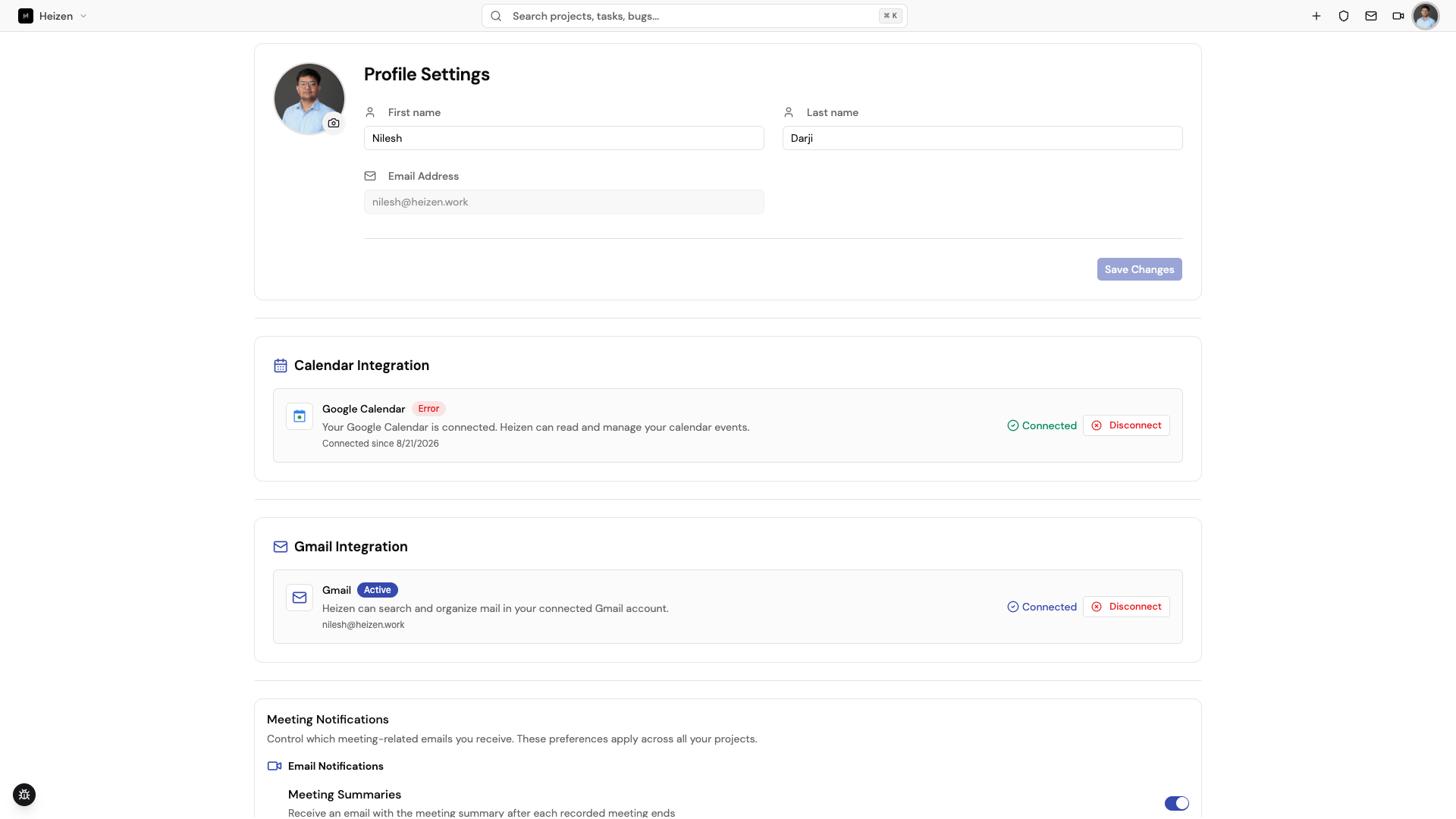
Profile
Update your first name, last name, avatar, and LinkedIn URL. Avatars must be JPEG, PNG, or WebP files up to 5 MB. Your email address is managed by authentication and is not editable from this form.
Meetings and email
- PM Agent credits shows your meeting-credit usage.
- Google Calendar connects or disconnects calendar access used by meeting views and the global meeting panel.
- Gmail connects or disconnects the mailbox used by project E-Mail.
- Meeting notifications controls the reminders and notifications sent to your account.
After connecting a provider, return to the relevant page and sync or reload it so Studio can fetch the provider data.
Password and account data
Use Change Password to update your password. Passwords must be at least 8 characters and include an uppercase letter, a lowercase letter, a number, and a special character. If you signed up with Google and have no password yet, the form shows Set Password instead. Request Account Data Export starts a request for the data associated with your account. Delete Account permanently removes your account and should only be used after you have confirmed what happens to projects and work owned by that account.
Global navigation also includes My Focus, Meetings, and My E-Mail. Their contents are filtered by your account and project access.