
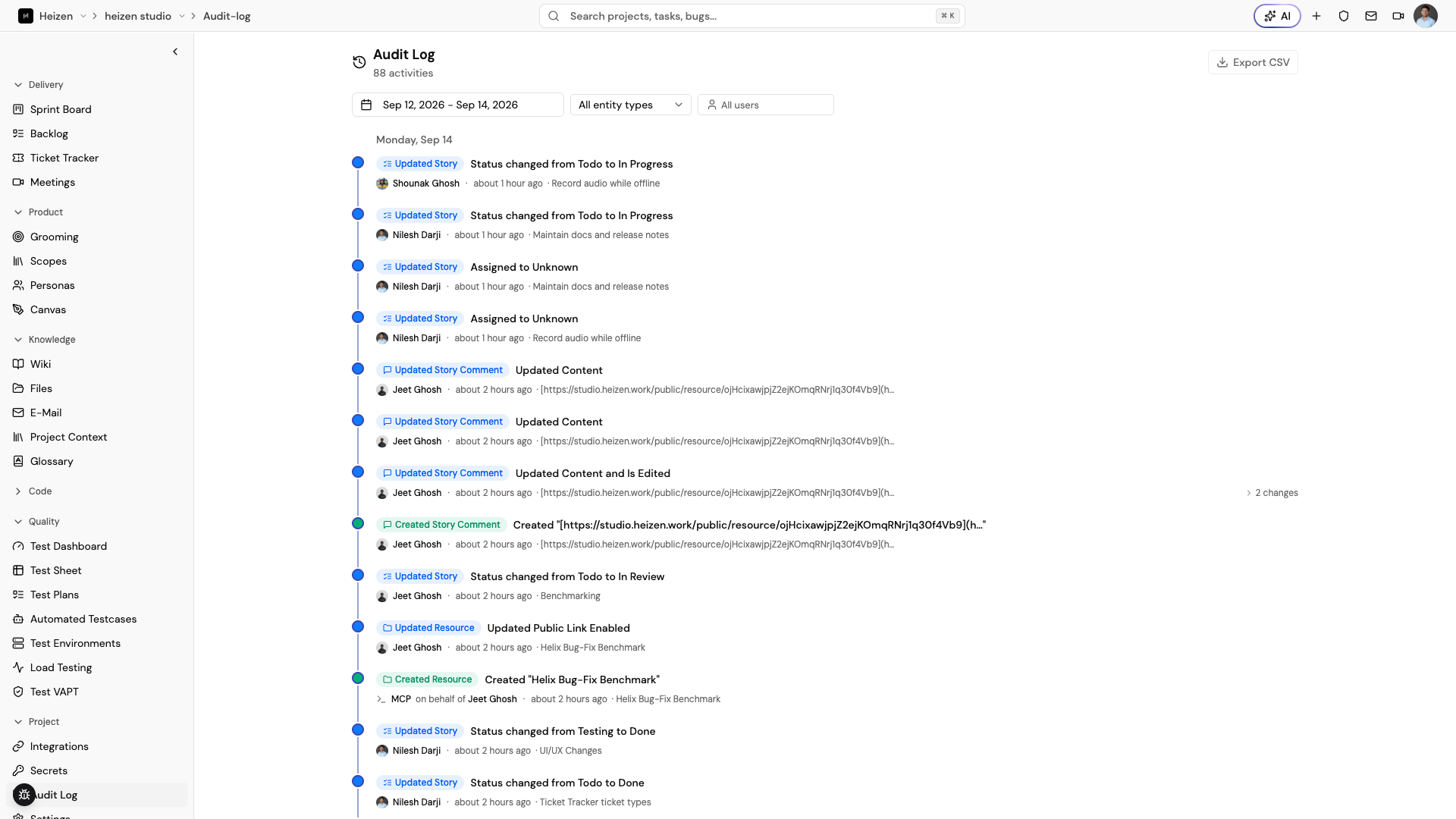
Project → Audit Log is a per-project, chronological record of every create, update, and delete made to the project’s tracked entities. It is visible only to project Admins.
What gets logged
Every create, update, and delete against these entities is recorded:
- Stories, tasks, and tickets
- Sprints
- Wiki pages and wiki folders
- Canvas diagrams
- Environments (secrets)
- Project resources and resource folders
- Meetings
- Test suites, test cases, test plans, and test environments
- The project itself, and its members
- API keys
- Story, ticket, and wiki comments
- Project context and glossary entries
Secret fetches made through the Secrets SDK, CLI, or GitHub Action are also recorded, under the Secret Access entity type. Those entries record the caller, IP address, location, and the names of the keys requested — never their values. The Secrets page shows the same entries in a table built for reviewing access; see Secrets.
Each entry shows who made the change — a person, or Helix, MCP, or System when the change came from an agent run, an MCP tool call, or a background job — and when. Entries for the same page edited in a short burst (for example, a wiki page saved repeatedly while someone types) are coalesced into a single entry rather than one per keystroke.
Read a field-level change
Choose an entry’s N changes disclosure to see the before/after value for each field that changed, rather than just “Story updated.”
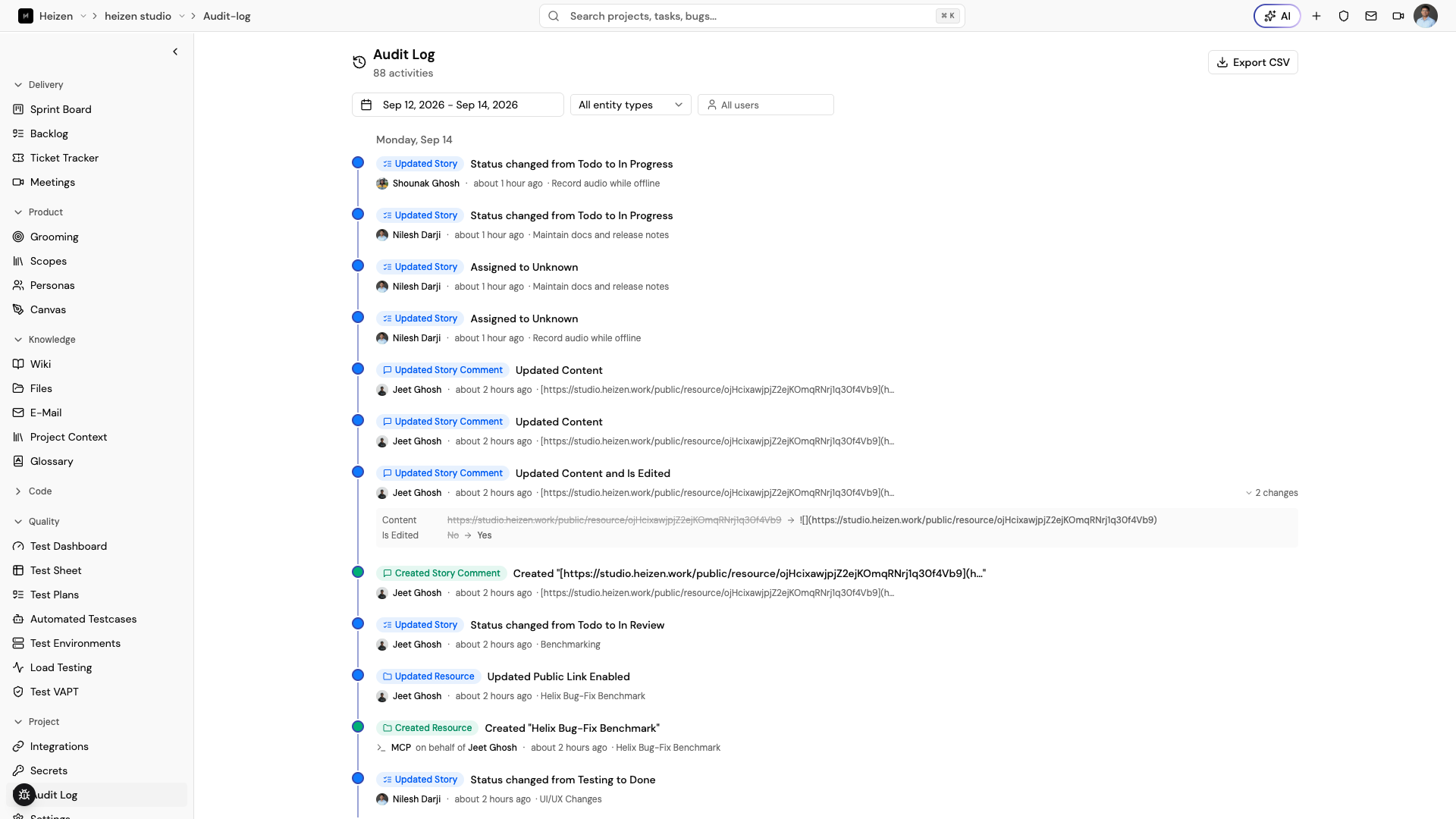
A few fields are deliberately excluded or redacted from the diff — large content blobs like wiki markdown and canvas XML aren’t diffed field-by-field, and sensitive fields like meeting transcripts are redacted rather than shown in plain text.
Filter and export
Use the date range, entity type, and user filters to narrow the timeline. Choose Export CSV to download the currently filtered entries for sharing outside Studio or for a compliance record.