
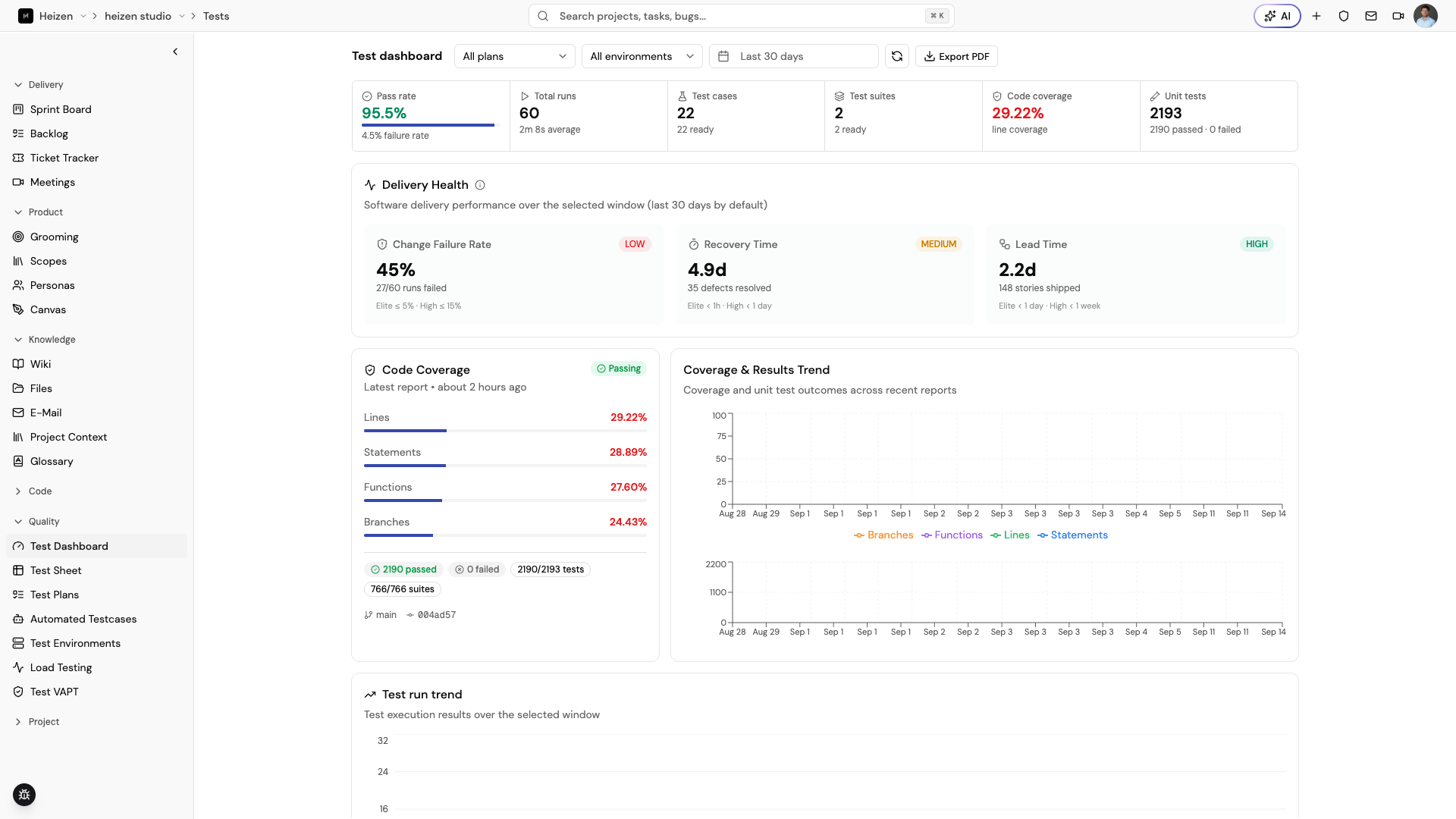
The Test Dashboard is the reporting surface for a project’s test activity. Use it to answer “what ran, what passed, what is missing, and what is risky?” for a selected date range.
Read the dashboard
The dashboard can combine:
- test run totals and pass/fail status;
- plan and environment context;
- trends over the selected date range;
- unit-test coverage reports when available;
- delivery-health signals; and
- uptime or monitoring signals when configured.
Use the plan, environment, and date filters to narrow the view before making a release decision. Open a recent execution to review the batch, then choose an individual run for step results, media, and defects. See the Test runs guide for the full review workflow.
Export a report
Choose the export action to generate a PDF report for the current dashboard view. Set the date range and filters first so the export reflects the period and release slice you want to share.
How it works
The dashboard aggregates test plans, suites, cases, execution results, and available automated reports. It is a reporting view over the underlying QA records, so changing a case or rerunning a plan changes future dashboard data without rewriting older run results.