
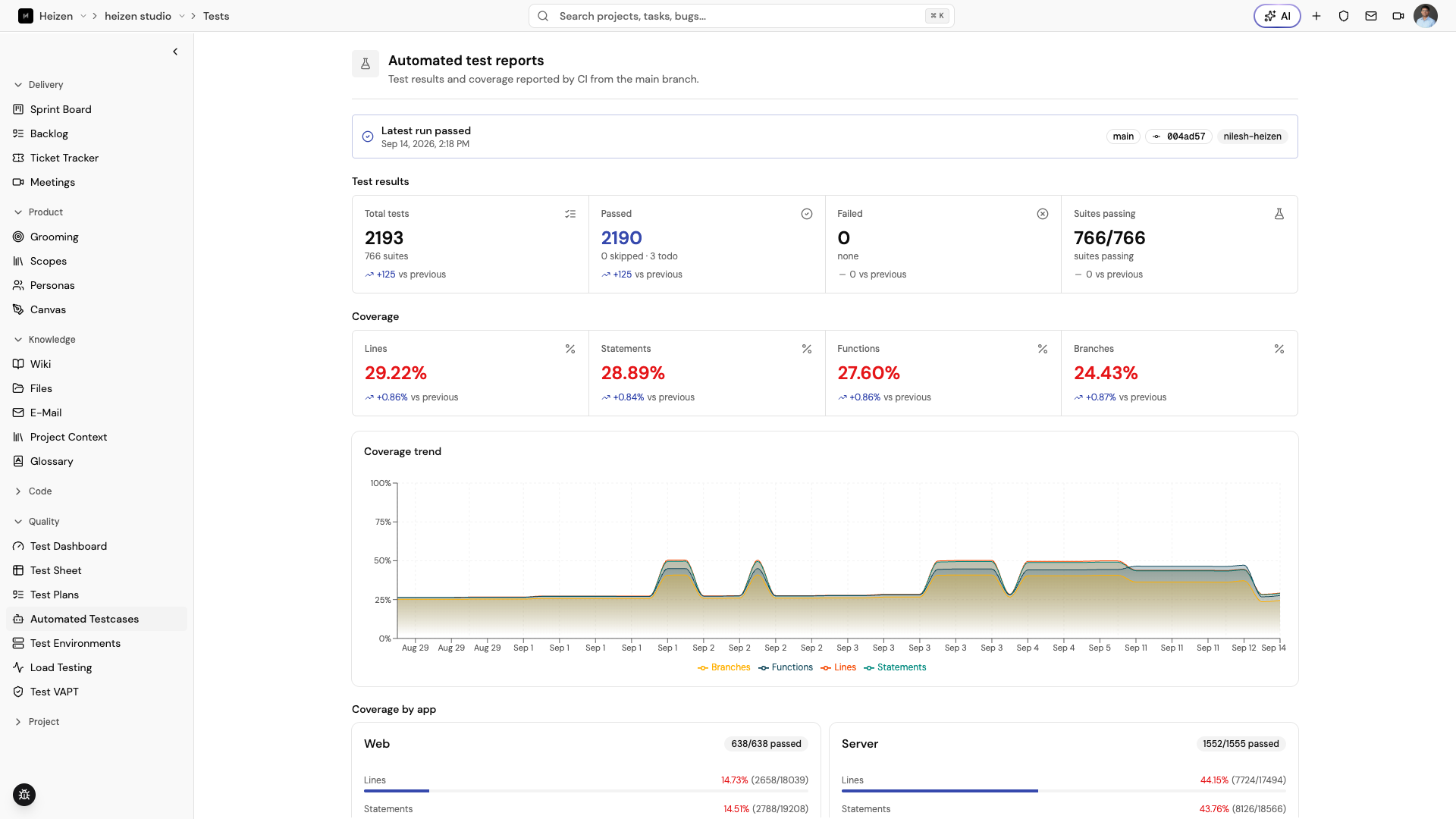
Automated Testcases is the report surface for automated test results that Studio has received from the project’s execution pipeline.
No automated test reports yet
If this page is empty, connect your CI pipeline so every push to main can post
unit-test and coverage results to the project. Pull requests can still run tests
without publishing a report here.
The integration takes two steps.
1. Add the workflow steps
Add these steps inside the GitHub Actions job that runs your tests:
- name: Run tests
  if: github.event_name == 'pull_request'
  run: pnpm test

- name: Run tests and post report
  if: github.event_name == 'push' && github.ref == 'refs/heads/main'
  uses: heizen-labs/unit-test-report-action@v1
  with:
    api-key: ${{ secrets.HEIZEN_STUDIO_API_KEY }}
    apps: |
      [
        { "name": "server", "directory": "apps/server" },
        { "name": "web", "directory": "apps/web" }
      ]
Change the app names and directories to match the repositories or workspaces that your job tests. Keep the report step in the same job after the test command it depends on.
2. Add the API key secret
In the GitHub repository, open Settings → Secrets and variables → Actions, choose New repository secret, and create:
- Name:
HEIZEN_STUDIO_API_KEY - Value: the project API key from Heizen Studio
Do not paste the key directly into the workflow file. Store it as a repository secret and rotate it if it is exposed.
Read a report
After a successful push to main, return to QA Agent → Automated Testcases
to review the reports posted by the workflow. Use the available report details,
pass/fail totals, and coverage information to identify the suite or build that
produced a result.
Automated reports complement, rather than replace, the manual and exploratory coverage in Test Sheet. Use the Test Dashboard for a cross-signal release view.
When a report does not appear
Check that:
- the workflow ran from a
pushevent on themainbranch; - the API key is stored under the exact name
HEIZEN_STUDIO_API_KEY; - the report step runs after the test command and has the correct app directories; and
- the workflow is posting to the intended Heizen project.
A report can be present without proving that the current story set is covered; compare it with the active scope and test plan.