
Studio has two complementary ways to reach project information: global search for finding records and the AI assistant for asking questions or taking guided actions with project context.
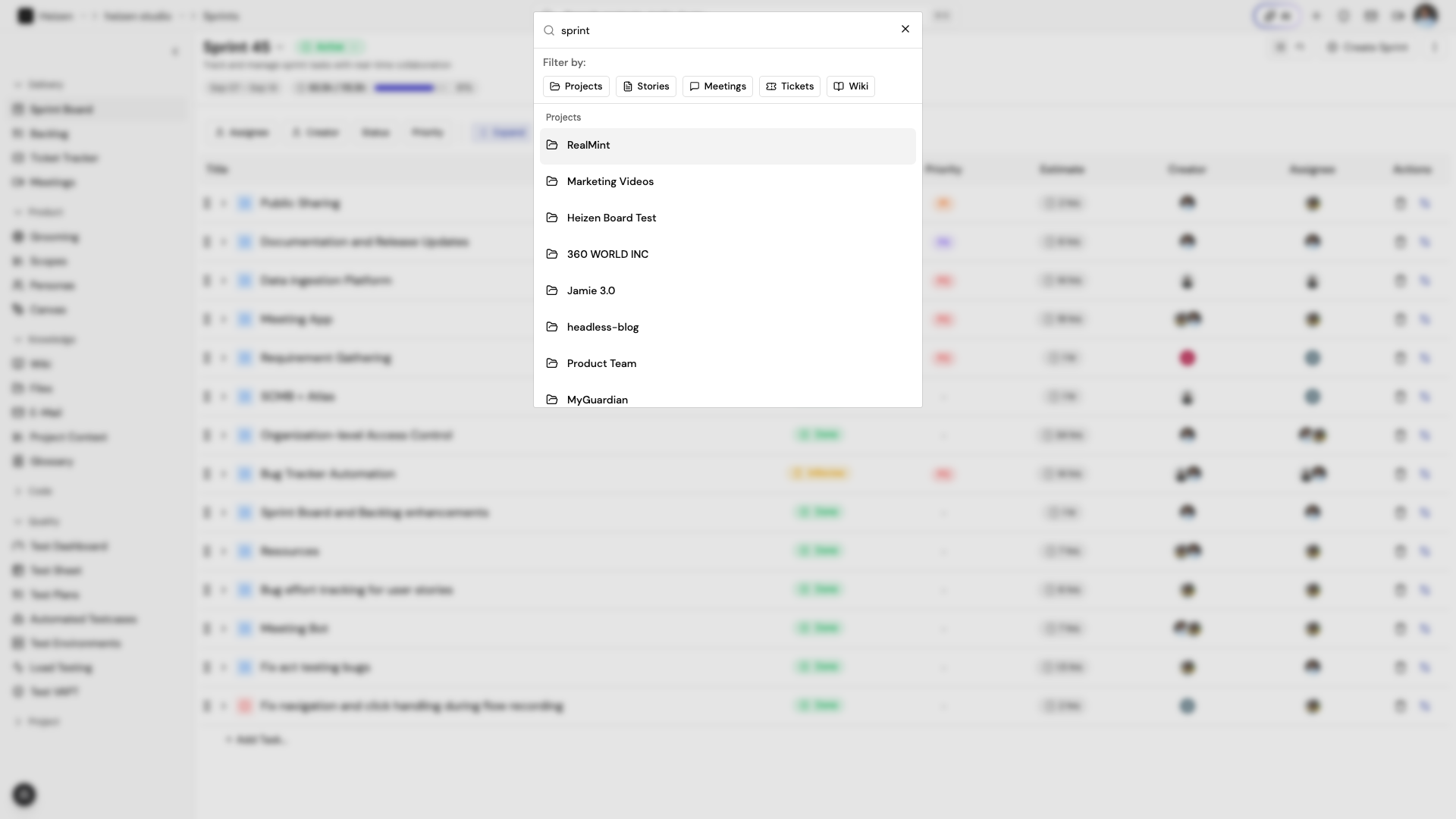
Global search
Choose the search field in the global header, or press ⌘K on macOS or Ctrl+K
on Windows/Linux. Search across project work such as projects, stories,
meetings, tickets, and wiki pages, and use the filter chips to narrow the
result type. Select a result to open the matching project surface.
The project-aware assistant
Inside a project, choose AI in the global header to open Helix in a resizable side panel. Helix receives the current project and page context, so questions about a sprint, ticket, story, or test can be answered against the project rather than a generic knowledge base. See the dedicated Helix guide for its modes and full set of capabilities.
Ask questions in plain language. For example:
- “Which stories in the active sprint have no assignee?”
- “Summarize the open tickets assigned to me.”
- “What should we test for the checkout story?”
The assistant may show working steps, linked records, or a follow-up question when it needs more context. Review any proposed change before relying on it in a release workflow.
Use Studio from an editor
For a keyboard-first workflow, connect the Heizen MCP server. MCP clients can use the same project data and permission model without opening the browser. See authentication, tools, and prompts.
How it works
The assistant is given page context and can retrieve project records through Heizen’s agent tools. Knowledge sources such as wiki pages, files, meeting notes, and email are indexed so answers can use the project’s own material.