
A test plan is a named execution set for a release, sprint, or focused QA activity. It references cases from the repository and can define a default environment.
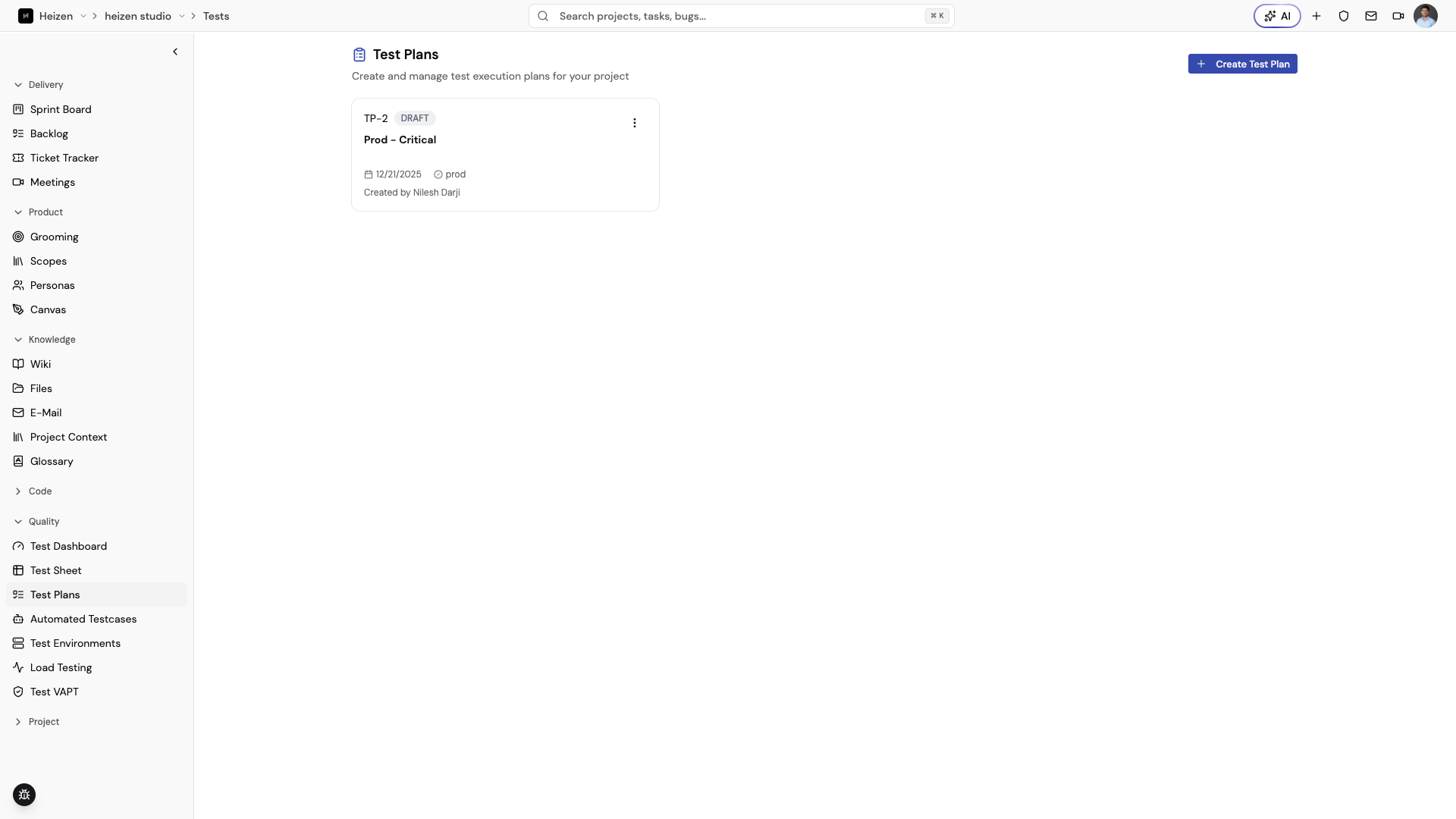
Create a plan
- Open QA Agent → Test Plans.
- Choose Create Test Plan.
- Enter a plan name and optional description.
- Select a default test environment if one is ready.
Use names that include the release or sprint, such as “Sprint 5 regression” or “Mobile checkout release candidate.”
Add cases
Open the plan and choose Add Test Cases. Select cases from the repository, review them grouped by suite, and remove cases that do not belong in this execution set. A case can be included in more than one plan.
Run and inspect a plan
Choose Run Test Plan, confirm the environment, and start execution. Open a case from the plan to inspect its steps; open the resulting test run to review the summary, step results, media, and linked defects.
Keep plans useful
- Make one plan represent one release decision or test objective.
- Keep reusable cases in the repository and use the plan for selection.
- Update the default environment when the release target changes.
- Remove obsolete cases rather than carrying them forward indefinitely.