
This release opens Studio up. An agent in your editor can now do the work through Heizen MCP, project email became a mailbox you can actually send from, and Helix shows its sources and reads transcripts instead of asking you to trust it.
Heizen MCP
A remote MCP server built into the Studio API gives Claude Code, Codex, Cursor, VS Code, and Gemini CLI 123 tools and 12 prompts across projects, delivery, QA, docs, meetings, and integrations. Sign in once in the browser — nothing to install, nothing to upgrade.

A shared project inbox
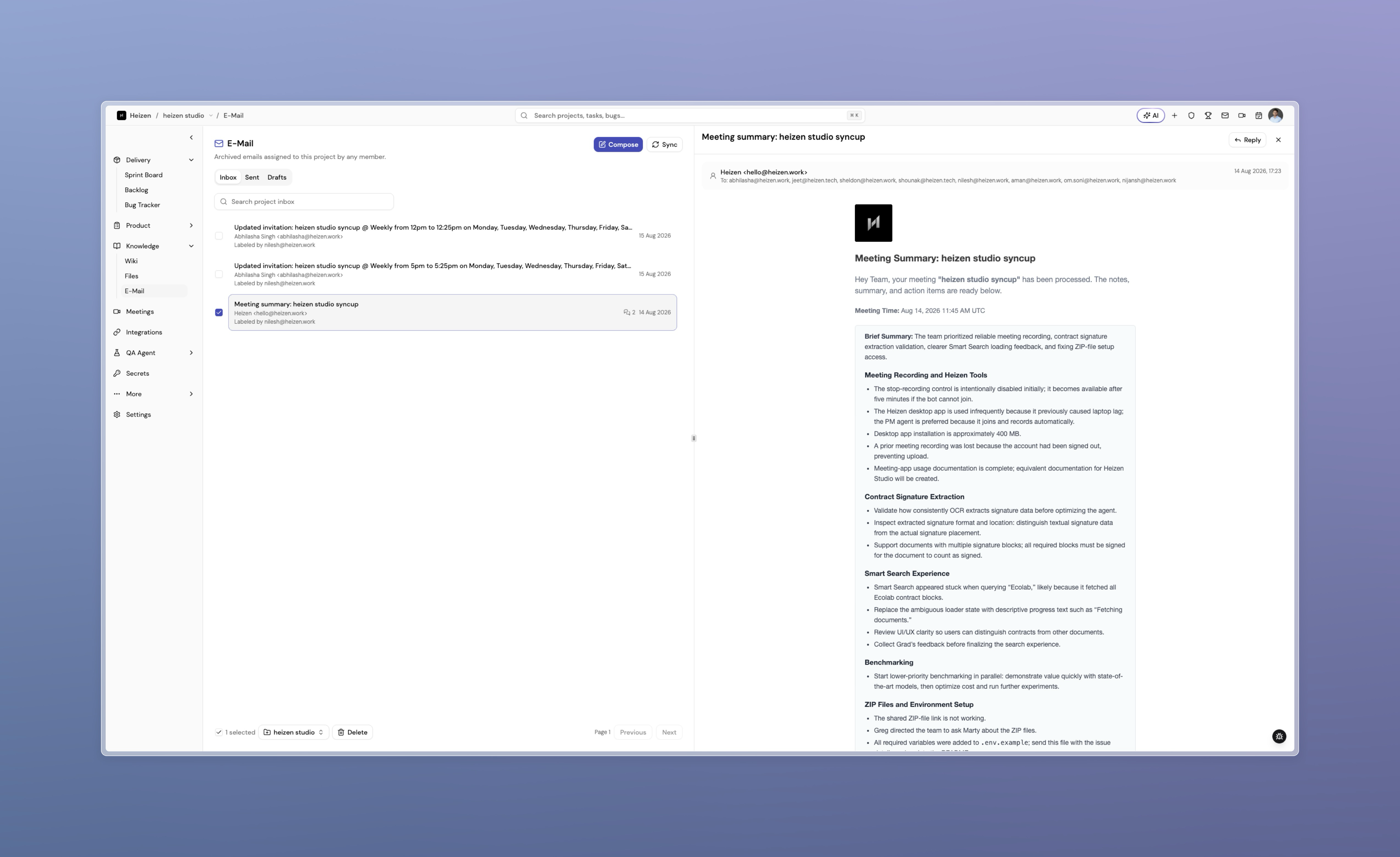
Project email now has Inbox, Sent, and Drafts, and you can compose, reply, and forward without leaving Studio. Drafts are shared with the project, and Helix can write one for you to review before it goes out.
Helix you can check
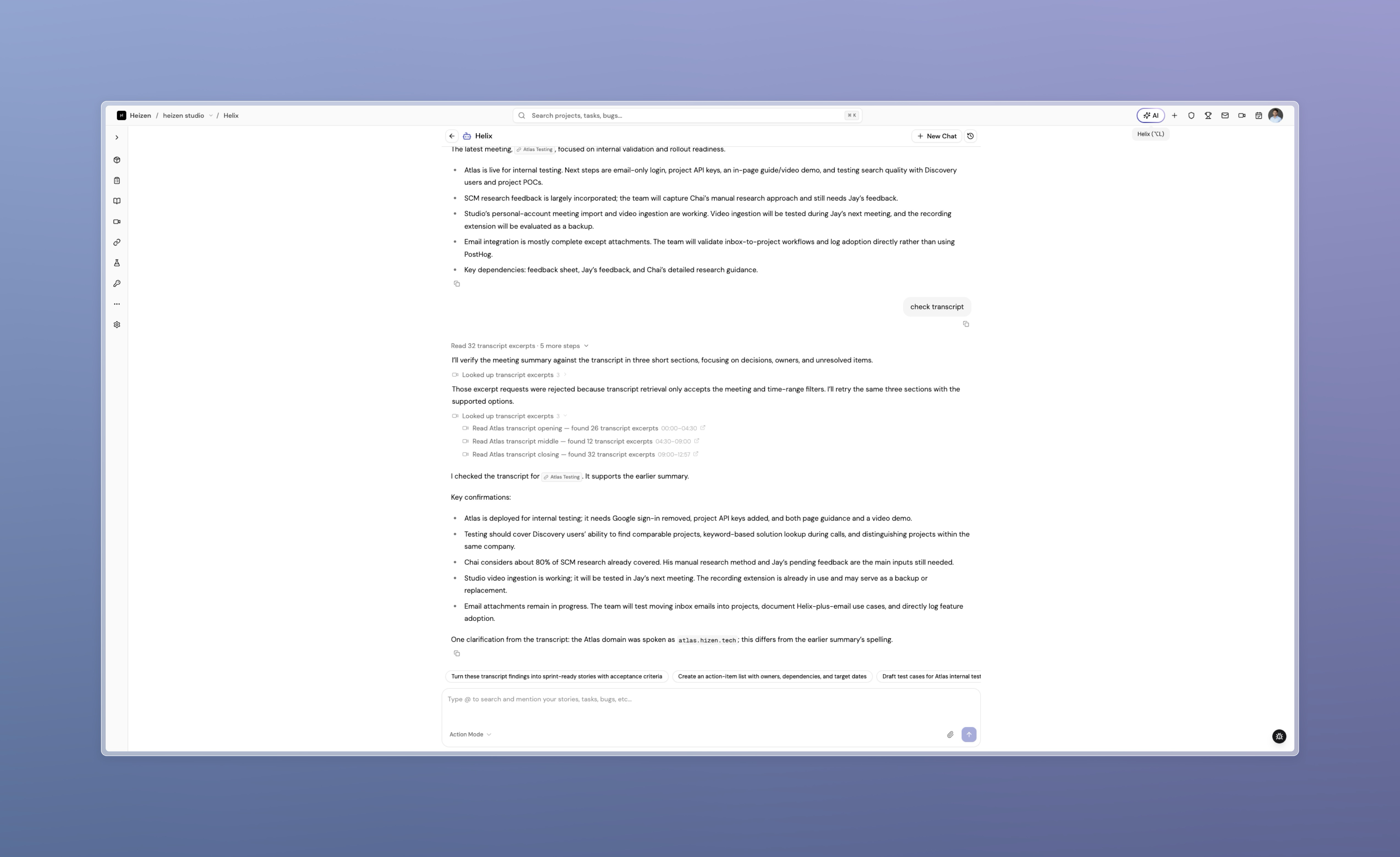
Answers carry inline citations that link to the record or page behind each claim, and Helix now retrieves meeting transcript excerpts by time range, speaker, or phrase — quoted with timestamps. Long conversations stay inside a predictable context budget.
Helix, rebuilt around your project data
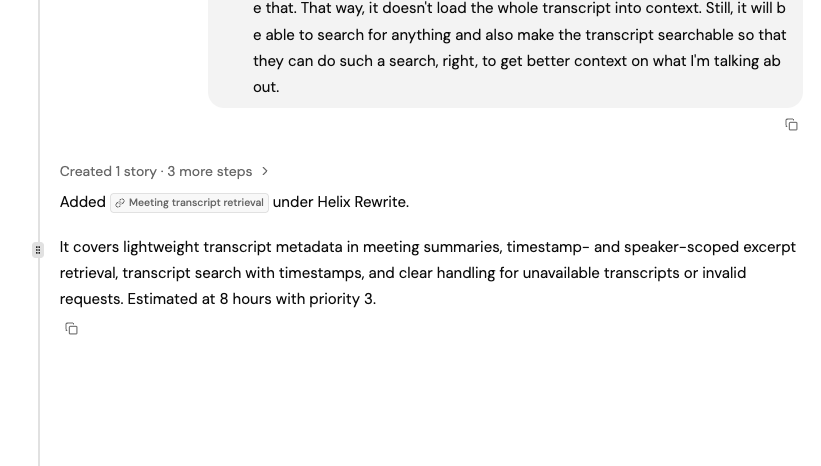
Helix works from one set of tools covering every entity in the product rather than routing between specialists, opens each reply with a working timeline you can expand, and sizes sprints from estimated hours instead of feature counts.
One test coverage page
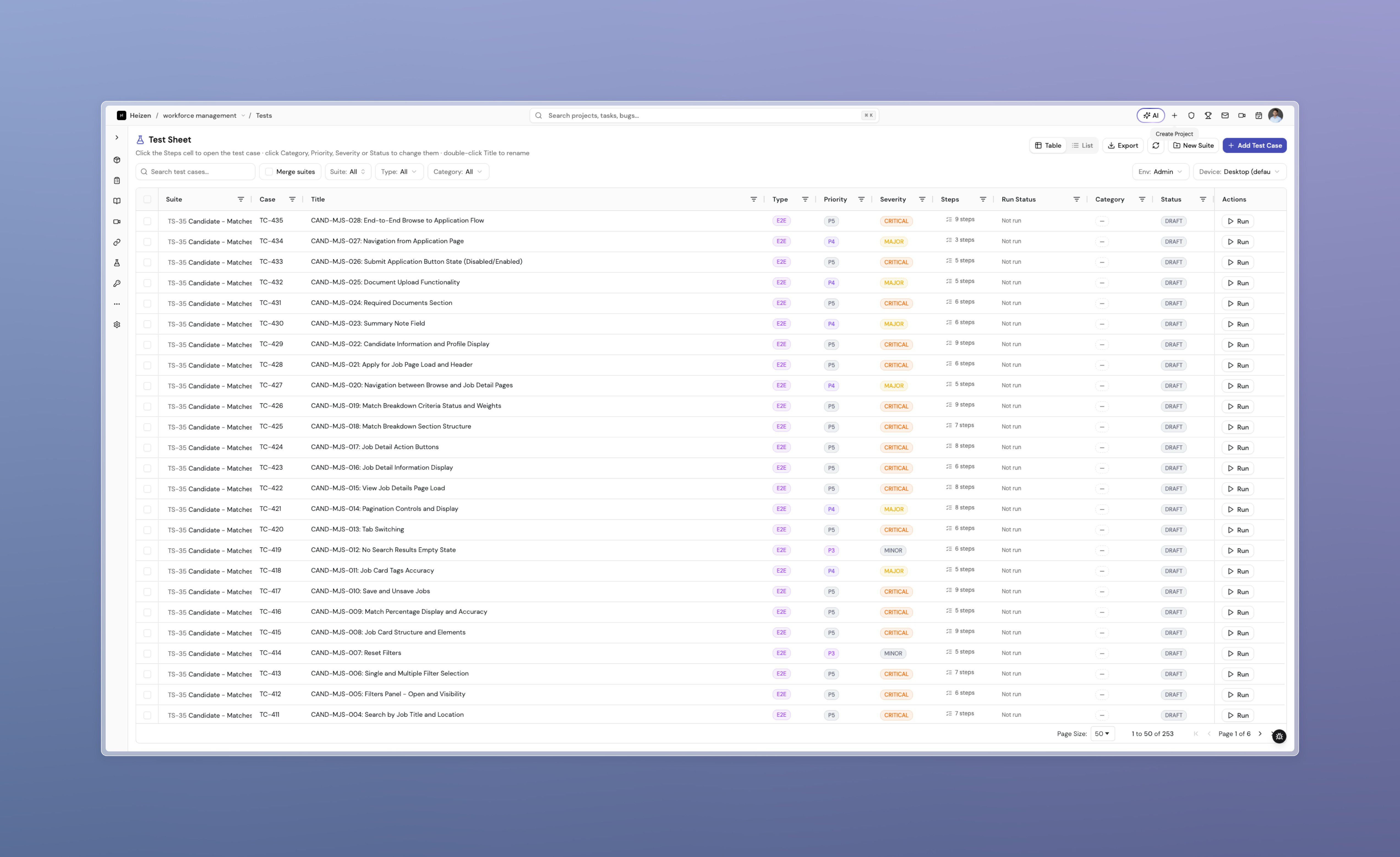
Test Sheet and Test Repository merged into a single page with a Table and List view that remembers your preference per project. Old repository links still land on the right case and step.
Documentation and integration APIs
Full guides for Studio, MCP, and Meets are live at docs.heizen.work, searchable and readable as plain markdown by agents. For integrations, a meeting can now hand back a short-lived signed URL for its recording, with the file’s real content type.
Patch updates
- v1.11.8The Test Repository becomes a Test Sheet viewTest coverage now lives on one page with a Table and List view that remembers which one you prefer, per project.
- v1.11.7Documentation at docs.heizen.workStudio, MCP, and Meets now have full written guides on a searchable docs site that agents can read as plain markdown.
- v1.11.6Meeting recordings reachable by integrationsA meeting can hand back a short-lived signed URL for its recording, with the file's real content type so callers know whether it holds video.
- v1.11.5Helix answers from meeting transcriptsAsk about a moment in a meeting and Helix pulls the exact excerpts — by time range, speaker, or phrase — and quotes them with timestamps.
- v1.11.4Heizen MCP: Studio in your editorA remote MCP server puts 123 Studio tools and 12 prompts behind a browser sign-in, so an agent in Claude Code, Codex, or Cursor can read and update your project without switching to the browser.
- v1.11.3Helix shows where its answers came fromAnswers now carry inline citations you can click through to the source record or page, and long conversations stay inside a predictable context budget.
- v1.11.2A shared project inbox you can send fromProject email now has Inbox, Sent, and Drafts, sends and replies without leaving Studio, and lets Helix draft a message for you to review.
- v1.11.1Helix, rebuilt around your project dataHelix now works from one set of tools across every part of the product, shows its working as a timeline you can open, links straight to what it touched, and sizes sprints from real estimates.