
This week brings quality, communication, and operational health into a clearer shared view. QA teams can understand coverage at a glance, project teams can work from a shared inbox, and Helix can help organize email alongside the rest of the project.
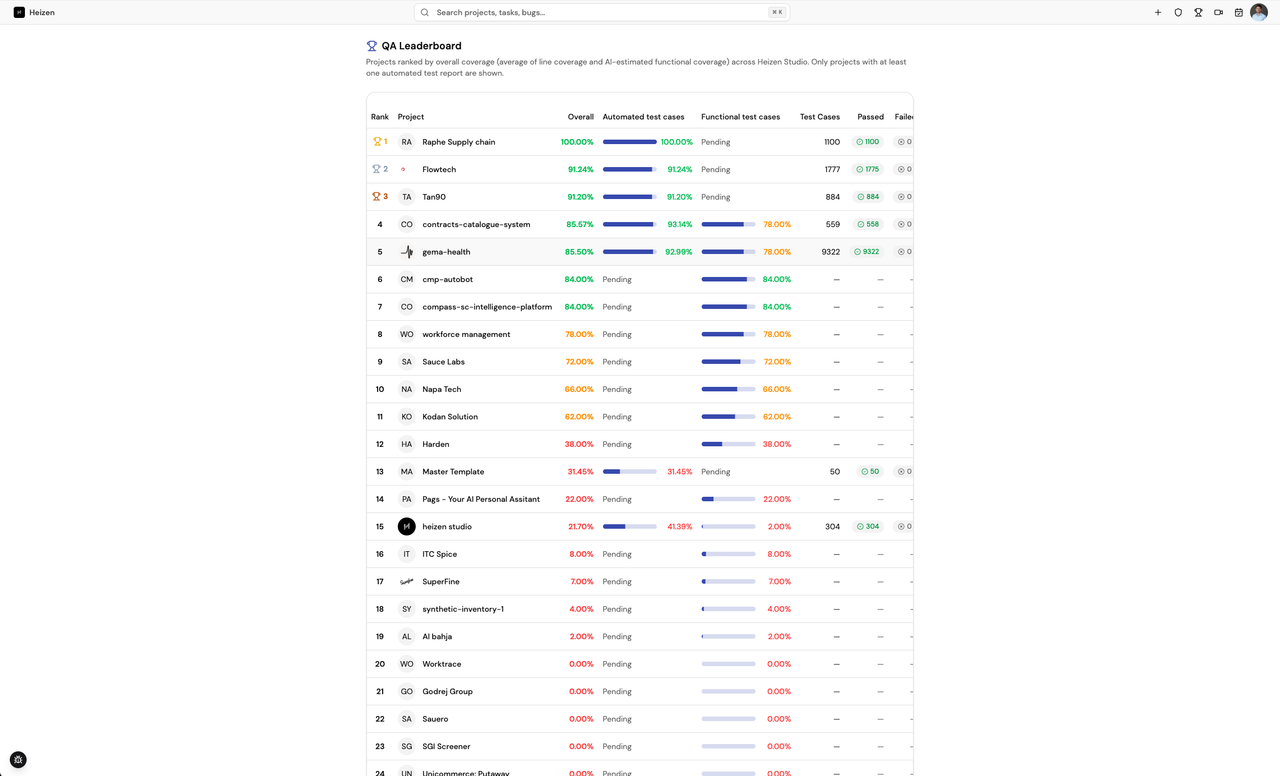
QA leaderboard across every project
The new QA leaderboard ranks projects by overall coverage, combining measured line coverage with AI-estimated functional coverage. Each project shows:
- Automated and functional test case breakdowns
- Total test case counts
- Pass and failure counts
- Overall coverage for quickly identifying projects that need attention
A redesigned QA dashboard
The test dashboard now brings the most important quality and delivery signals into one consolidated view:
- KPI cards for test cases, suites, runs, pass rate, and code coverage
- Delivery health metrics for change failure rate, recovery time, and lead time
- Test run trends and recent execution history
- Test plan progress
Manage test suites without leaving the test sheet
Test suites can now be created, renamed, and deleted directly from the test sheet. Teams can keep test organization current without switching between separate views.
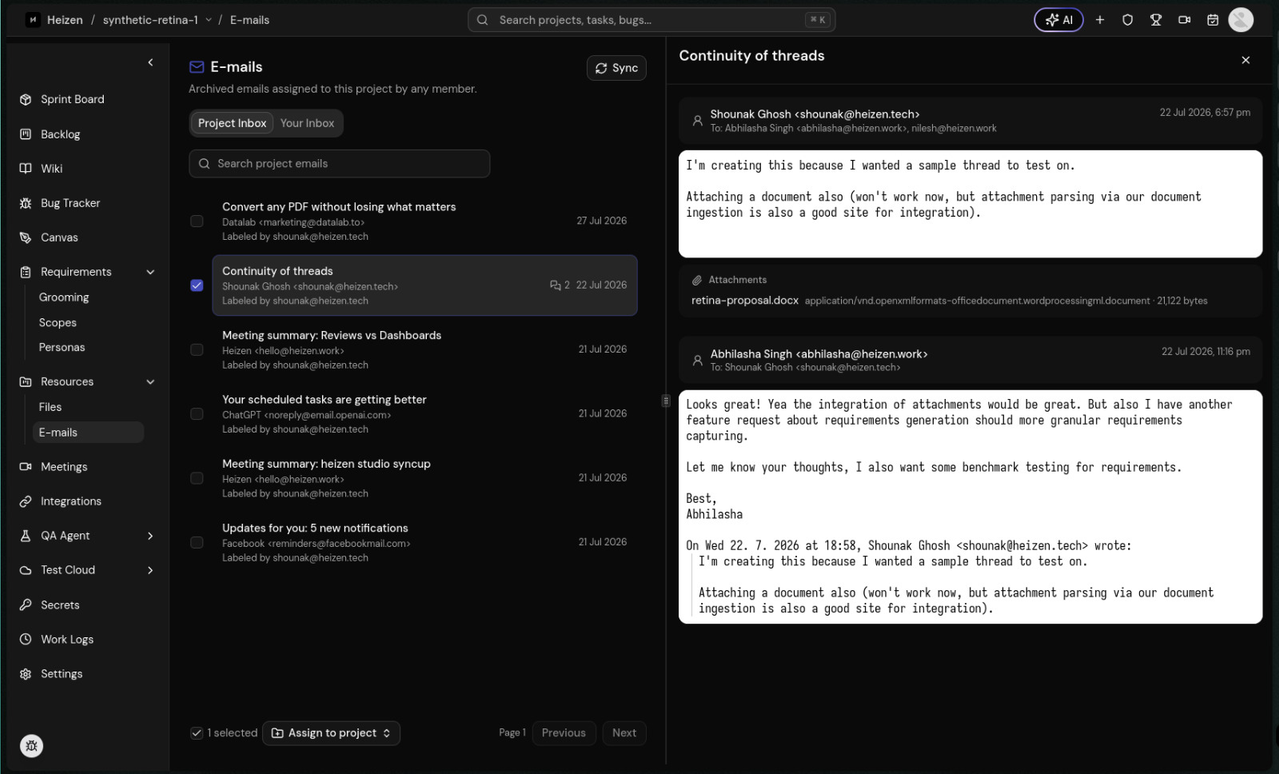
Shared project inbox with Gmail
Connect Gmail and work with email directly inside Heizen Studio. The shared inbox supports sanitized thread rendering, sender avatars, collapsible conversations, bulk actions, and project assignment for the entire team.
When assigning an email from a project, the project selector now defaults to the current workspace to reduce repetitive setup.
Helix understands email and project resources
Helix adds four tools for working across Gmail and Heizen Studio. It can now:
- Search the connected Gmail inbox
- Read complete email threads
- List available projects
- Assign multiple emails to projects in one action
Uptime and latency monitoring
A new metrics section tracks URL uptime and response latency across projects, keeping operational health visible alongside delivery and quality metrics.