
Test Sheet and Test Repository showed the same suites and cases in two places, and which one you used decided which controls you had. They are now one page with two views.
Table and List, on one page
The Test Sheet keeps the dense table for editing coverage row by row, and adds the repository’s grouped List view for reading a suite from top to bottom. A toggle in the header switches between them.
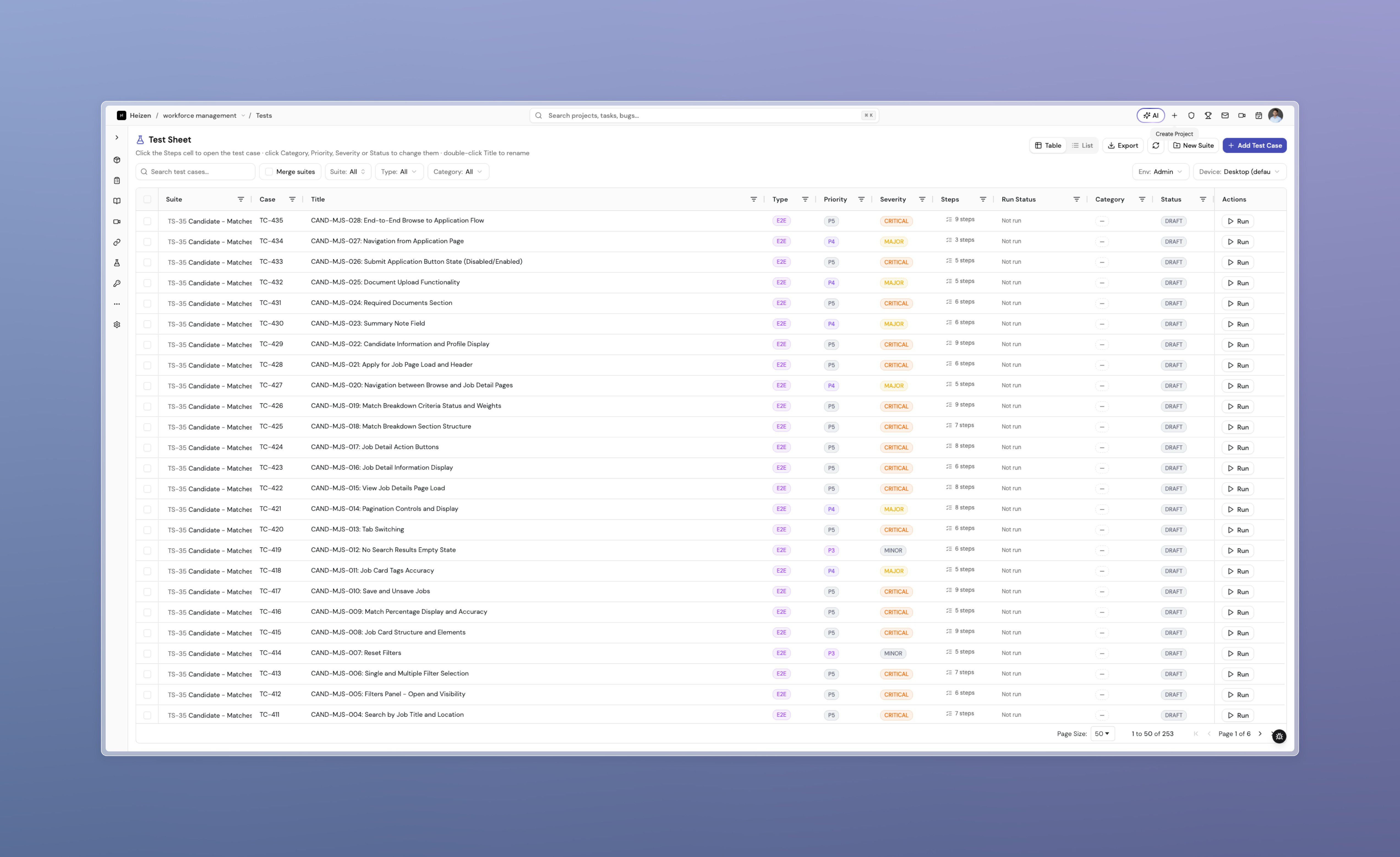
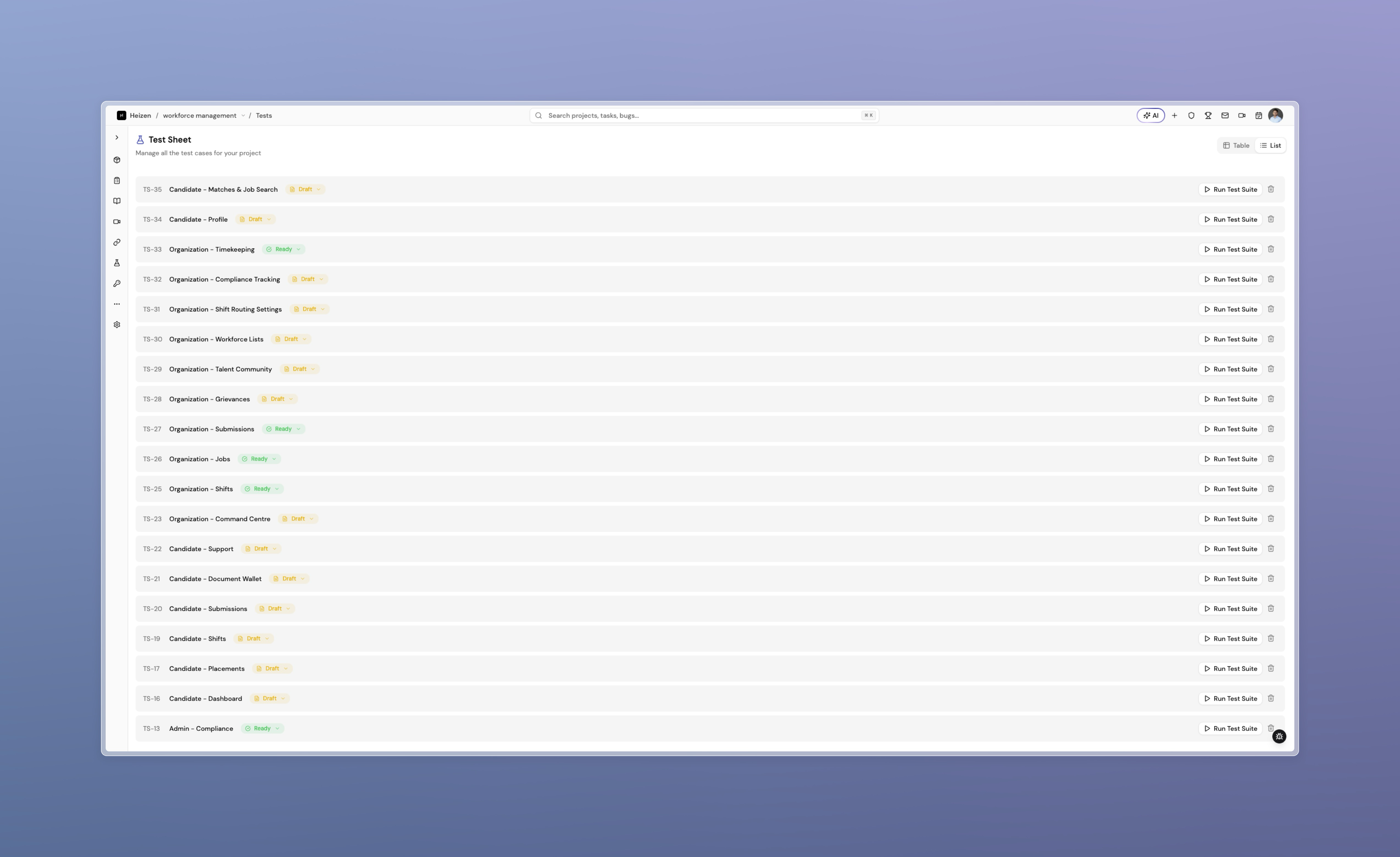
Your choice is remembered per project, so a project you always read as a list opens that way while another stays on the table. A link that specifies a view — a Helix citation, or one shared by a teammate — opens in that view and hands control back once you pick for yourself.
Existing repository links keep working. They land on the List view with their test case and step still selected, so bookmarks and links already sent out don’t break.
Also fixed
- Pasting a large block of text into Helix no longer leaves it stuck in the input after sending.
- Test environments accept several session cookies, so a site that splits authentication across more than one cookie can be tested without workarounds.
- Video previews of freshly recorded files play instead of failing to load.
- Deleting a bug comment now removes it as expected.